


The Restoration Fellowship App
Church life, one tap away.
Sermons, sign-ups, announcements, giving and directions, all in one place on your phone. It's free, needs no app store and no account, and takes about 30 seconds to set up.
What's Inside
Everything you need for Sunday and the week in between
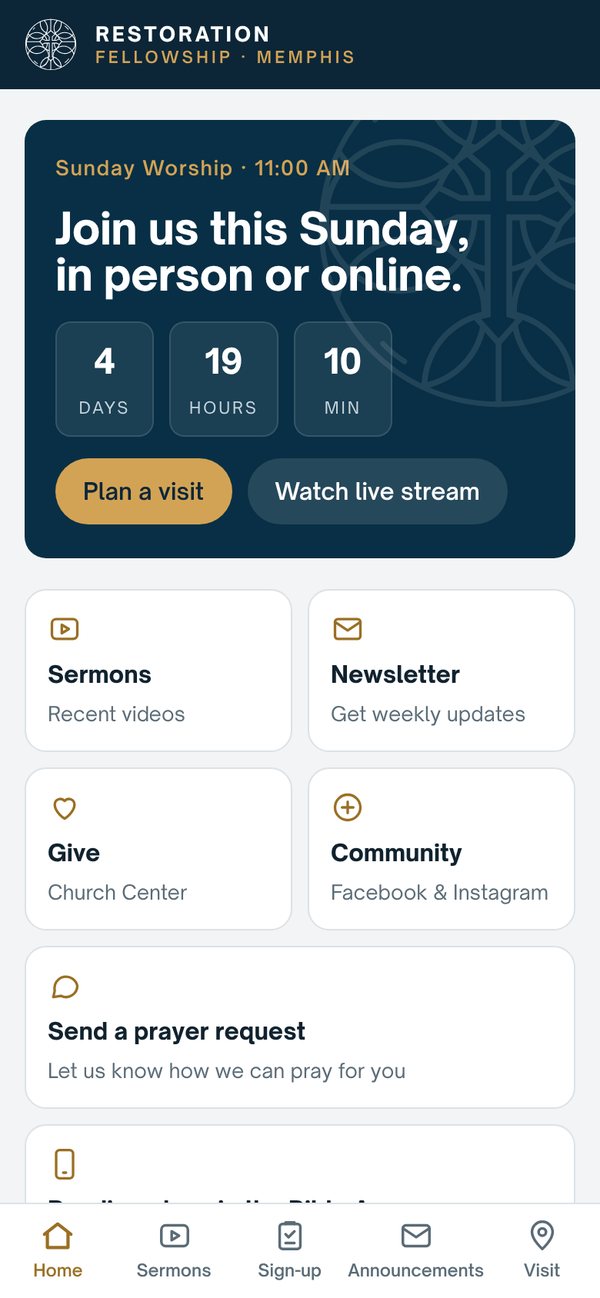
Sunday Countdown & Livestream
See exactly when worship starts and join the livestream with one tap if you can't be there in person.
Sermons
Catch up on recent messages any time, whether you missed a Sunday or want to hear one again.
Sign-ups
Register for events, classes and serving opportunities as soon as they're announced.
Announcements
Stay current on what's happening at Restoration without digging through your inbox.
Give
Give securely through Church Center in just a few taps.
Prayer Requests
Send a request any time and let us know how we can pray for you.
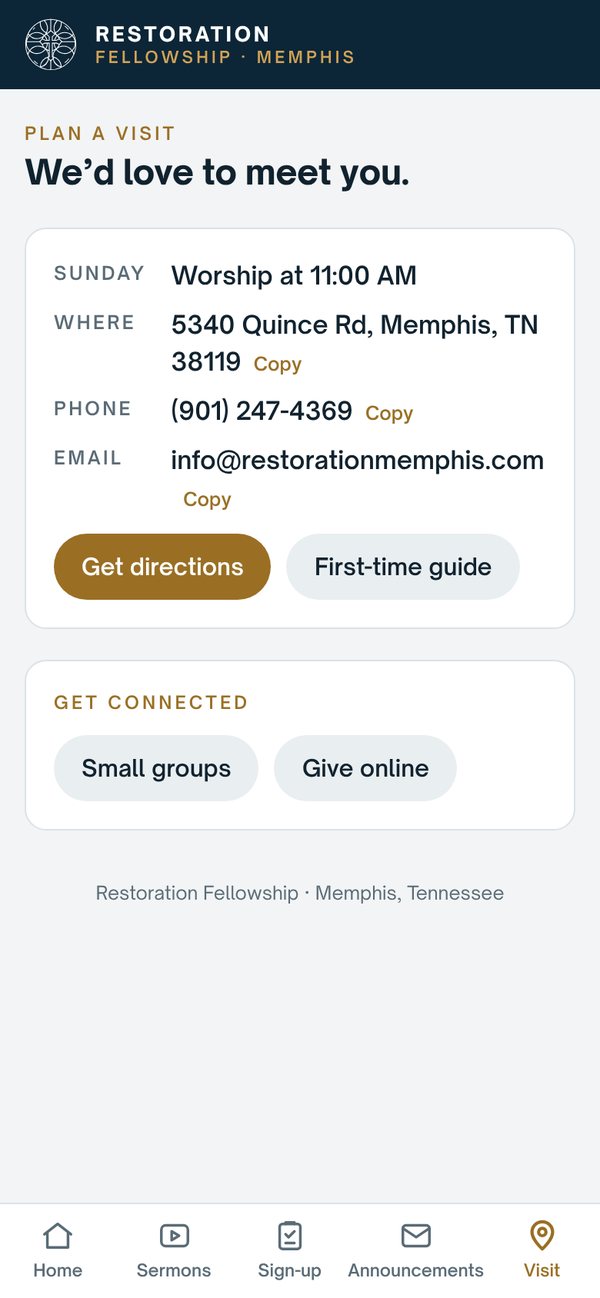
Plan a Visit & Directions
Service time, address, phone and turn-by-turn directions, perfect for sharing with a friend you're inviting.
Newsletter & Bible Reading Plans
Get our weekly newsletter and find free reading plans in the Bible App.
Set It Up
Add the app to your home screen
There's nothing to download from an app store. You save it from your web browser, and it opens full-screen with its own icon, just like any other app.
iPhone or iPad
- Open Safari and go to app.restorationmemphis.com.
- Tap the Share button (the square with an arrow pointing up).
- Scroll down and tap Add to Home Screen.
- Tap Add. The Restoration icon now appears on your home screen.
Android
- Open Chrome and go to app.restorationmemphis.com.
- Tap Install app when the prompt appears, or tap the ⋮ menu in the top-right corner.
- Choose Install app (or Add to Home screen).
- Tap Install. The Restoration icon now appears with your other apps.
On a computer?
Scan this code with your phone's camera to open the app there.

Or open app.restorationmemphis.com in any browser.
Common Questions
Does the app cost anything?
No. The app is free for everyone.
Do I need to create an account?
No. Just open it and start using it. When you give or sign up for something, you'll use Church Center the same way you do today.
Why isn't it in the App Store or Google Play?
It's a web app, so it works on any phone and always stays up to date on its own, with no downloads or updates to install.
How do I remove it?
Remove it like any other app: press and hold the icon, then choose Remove (iPhone) or Uninstall (Android).
Something isn't working. Who can I ask?
Email info@restorationmemphis.com or call (901) 247-4369, and we'll be glad to help.


